Auto-Claim Guide
Automatically redeem your winning positions when markets resolve. No manual action needed — your winnings are claimed for you.
Before You Start
- What is Auto-Claim? A feature that automatically redeems your positions when Polymarket markets resolve.
- Winning positions: Your payout is claimed and USDC.e is added to your wallet.
- Losing positions: Shares are cleared from your portfolio (no payout).
Enable Auto-Claim once and never worry about missing a redemption. Your winnings are automatically collected when markets settle.
How Auto-Claim Works
- A Polymarket market resolves (outcome is determined).
- PolyBot detects your positions in that market are now redeemable.
- If Auto-Claim is enabled:
- Winning positions: Payout is automatically claimed.
- Losing positions: Shares are automatically cleared.
- You receive a notification with the results.
- USDC.e from winnings appears in your wallet balance.
Enabling Auto-Claim
Auto-Claim is disabled by default. To enable it:
- Go to ⚙️ Settings.
- Find Auto-Claim Positions.
- Tap to toggle ON (✅).
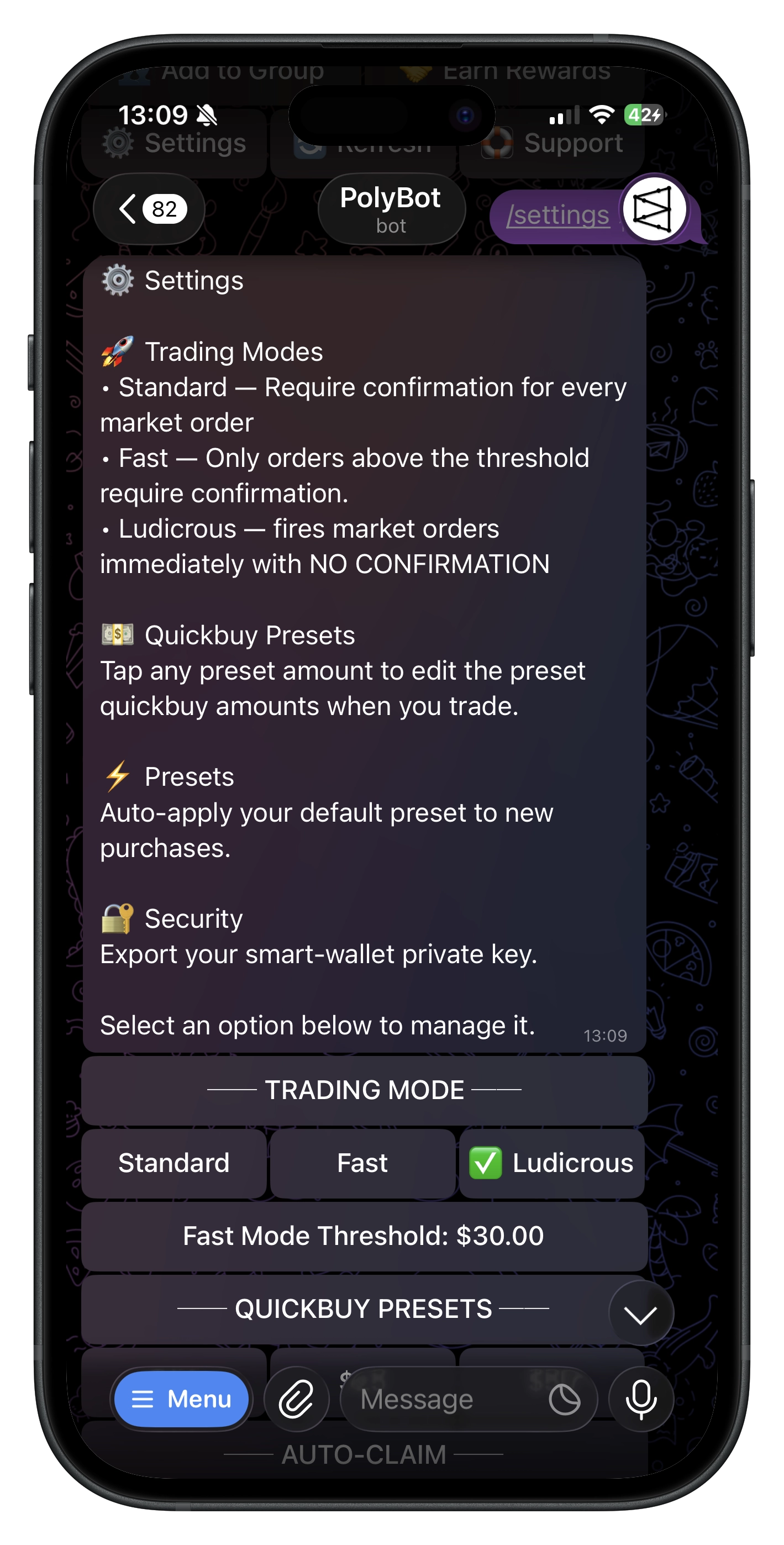
That's it! All future resolved positions will be claimed automatically.
What Gets Claimed
Winning Positions 🏆
When you correctly predicted the outcome:
- Your shares are redeemed for USDC.e.
- Payout = Shares × $1.00.
- USDC.e is added to your wallet immediately.
Example:
- You hold 100 shares of "Yes" at 40¢.
- Market resolves "Yes" wins.
- Payout: 100 × $1.00 = $100.
Losing Positions 💀
When you predicted incorrectly:
- Your shares become worthless.
- They're cleared from your portfolio.
- No payout (shares were worth $0).
Example:
- You hold 50 shares of "No" at 30¢.
- Market resolves "Yes" wins.
- Your "No" shares are cleared. Payout: $0.
Notifications
When Auto-Claim processes your positions, you receive a Telegram message:
Batch Notification (Multiple Positions)
🎉 Positions Auto-Processed!

1. 🏆 Will Bitcoin hit $100k?
   ├ Outcome: Yes WON
   ├ Shares: 50
   ├ Payout: $50.00
   ├ PnL: 📈 +$25.00
   └ View on Polymarket

2. 💀 Will ETH flip BTC?
   ├ Outcome: Yes LOST
   ├ Shares: 30 (cleared)
   ├ PnL: 📉 -$15.00
   └ View on Polymarket

━━━━━━━━━━━━━━━━━━━━━
💰 Total Claimed: $50.00
Icons
| Icon | Meaning |
|---|---|
| 🏆 | Winning position — payout claimed |
| 💀 | Losing position — shares cleared |
| 📈 | Positive PnL (profit) |
| 📉 | Negative PnL (loss) |
Manual Redemption
You can always redeem positions manually, even with Auto-Claim enabled:
- Go to 📊 Portfolio.
- Find the resolved position (marked as redeemable).
- Tap Redeem.
- Confirm the redemption.
When Auto-Claim Runs
- Auto-Claim checks for redeemable positions periodically.
- There may be a short delay between market resolution and automatic redemption.
- Typical timing: Within minutes of market resolution.
Dust Filtering
Very small positions (under $0.10 value) are skipped to save on gas costs:
- Positions with value < $0.10 are not auto-claimed.
- You can still redeem these manually if desired.
Troubleshooting
Position Not Auto-Claimed
Check these:
- Is Auto-Claim enabled in Settings?
- Has the market actually resolved? (Check Polymarket)
- Is the position value above $0.10?
- Wait a few minutes — there can be a short delay.
Redemption Failed
Occasionally, redemption may fail due to:
- Network congestion
- Temporary API issues
Solution: The system retries automatically. If still not claimed after some time, try manual redemption.
Don't See Payout in Wallet
- Wait 1-2 minutes for the blockchain to confirm.
- Use 🔄 Refresh on the wallet screen.
- Check the notification for the exact amount claimed.
Auto-Claim Was Disabled
Auto-Claim settings persist. If it's suddenly off:
- Re-enable it in ⚙️ Settings.
- Check that you're in the correct account.
Auto-Claim vs Manual Redeem
| Aspect | Auto-Claim | Manual Redeem |
|---|---|---|
| Effort | None — fully automatic | Requires action |
| Timing | Shortly after resolution | When you choose |
| Notifications | Batch summary | Per-position |
| Dust positions | Skipped (< $0.10) | Can redeem any |
Privacy & Control
- Your keys, your funds: Auto-Claim only redeems positions — it never moves funds out of your wallet.
- Toggle anytime: Enable or disable Auto-Claim whenever you want.
- No external access: Redemption happens within your self-custodial Safe wallet.
Commands
| Command | What It Does |
|---|---|
/settings | Access Auto-Claim toggle |
/portfolio | View positions (including redeemable) |
Related Guides
- Portfolio Guide — Viewing and managing positions
- Wallet Guide — Understanding your balance
- Settings Guide — All settings in one place