Portfolio & Orders Guide
Your portfolio tracks every position, shows real-time PnL, and gives you tools to sell, protect, or extend exposure.
Open with /portfolio or from the main menu → 📊 Portfolio.
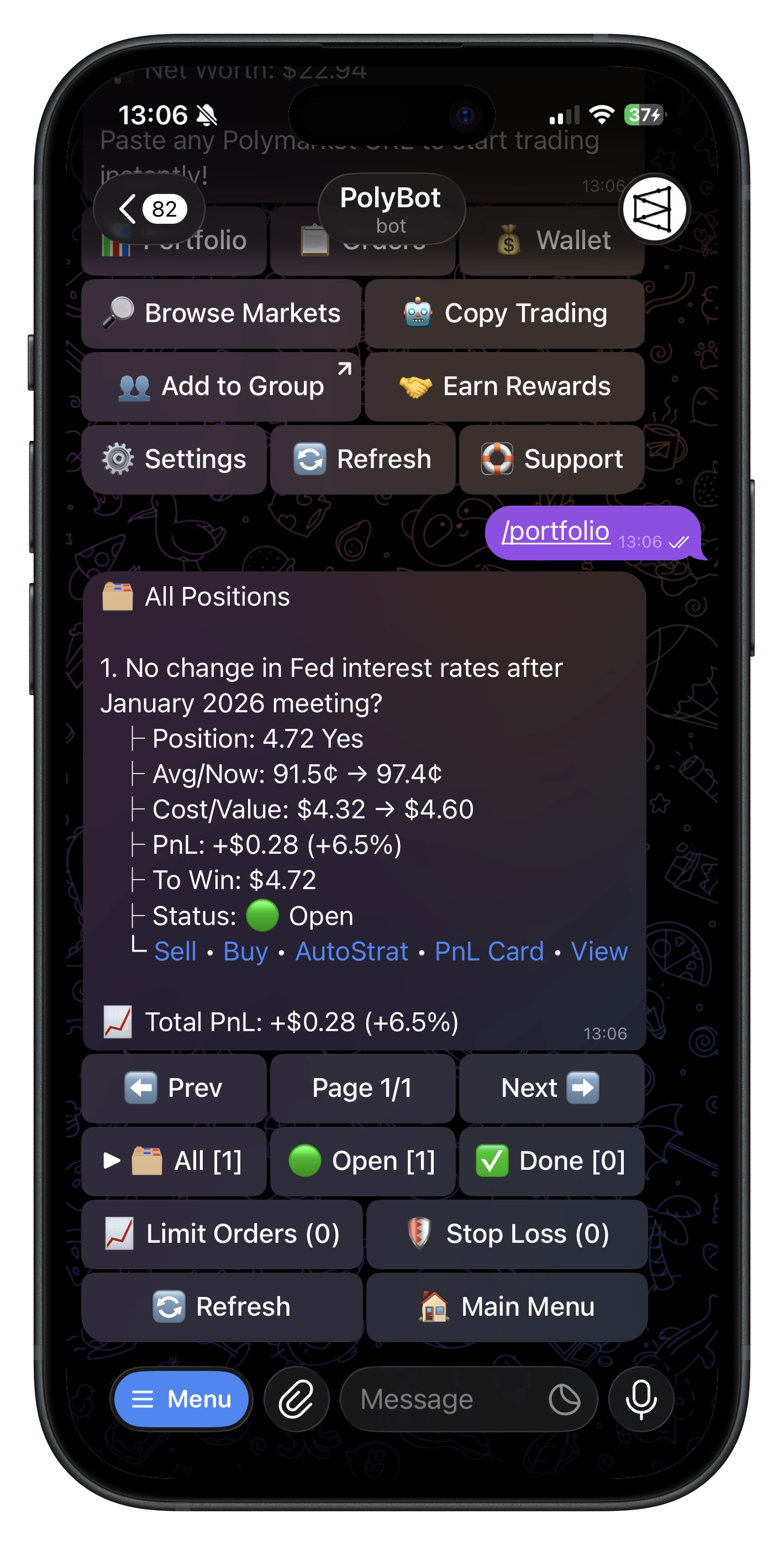
📊 Understanding your portfolio
Each position shows:
- Market & outcome — what you bought and which side
- Shares & average price — your size and cost basis
- Current price — live market price
- Cost vs. current value — what you spent vs. what it's worth now
- PnL ($ and %) — unrealized profit/loss
- Status — Open, Won, or Lost
How PnL works
PnL = (current price − average price) × shares. This is unrealized — it reflects what you'd get if you sold now. The footer sums PnL across all visible positions.
Views & sorting
| View | Shows |
|---|---|
| All | Open + resolved positions needing action |
| Open | Currently tradeable positions only |
| History | Settled and archived positions |
Sort by Value, PnL ($), or PnL (%) — sorting by PnL % quickly surfaces your best and worst performers relative to position size.
💰 Selling a position
Market sell
Immediate exit at current market price:
- Pick a position → tap Sell
- Choose 25% / 50% / 75% / 100% or enter custom shares
- Confirm
Partial sells let you lock in some profit while keeping upside exposure.
📉 Limit sell
Set your exit price and wait for the market to come to you (GTC order):
- From a position → tap 📉 Limit Sell
- Enter price (¢) and shares (min 5)
- Confirm
Useful for take-profit targets — bought at 40¢, want to exit at 60¢? Place the limit sell instead of watching all day.
🛡️ Stop loss
Downside protection — PolyBot auto-sells when price drops to your stop level:
- From the sell screen → tap 🛡️ Stop Loss
- Set your stop price
Matters most for positions you can't monitor. Without it, a position can go deeply negative while you're offline.
✅ Handling resolved positions
Won → tap Redeem to convert winning shares back to USDC.e. Enable Auto-Claim to do this automatically.
Lost → tap Clear to remove the settled position from your active view.
🎴 PnL cards
Generate a shareable PnL Card image for any position — useful for sharing in groups and communities.
📈 Limit orders
View from main menu → 📋 Orders, or run /orders.
Each order shows: market, outcome, side, limit price vs. current price, fill progress, and size.
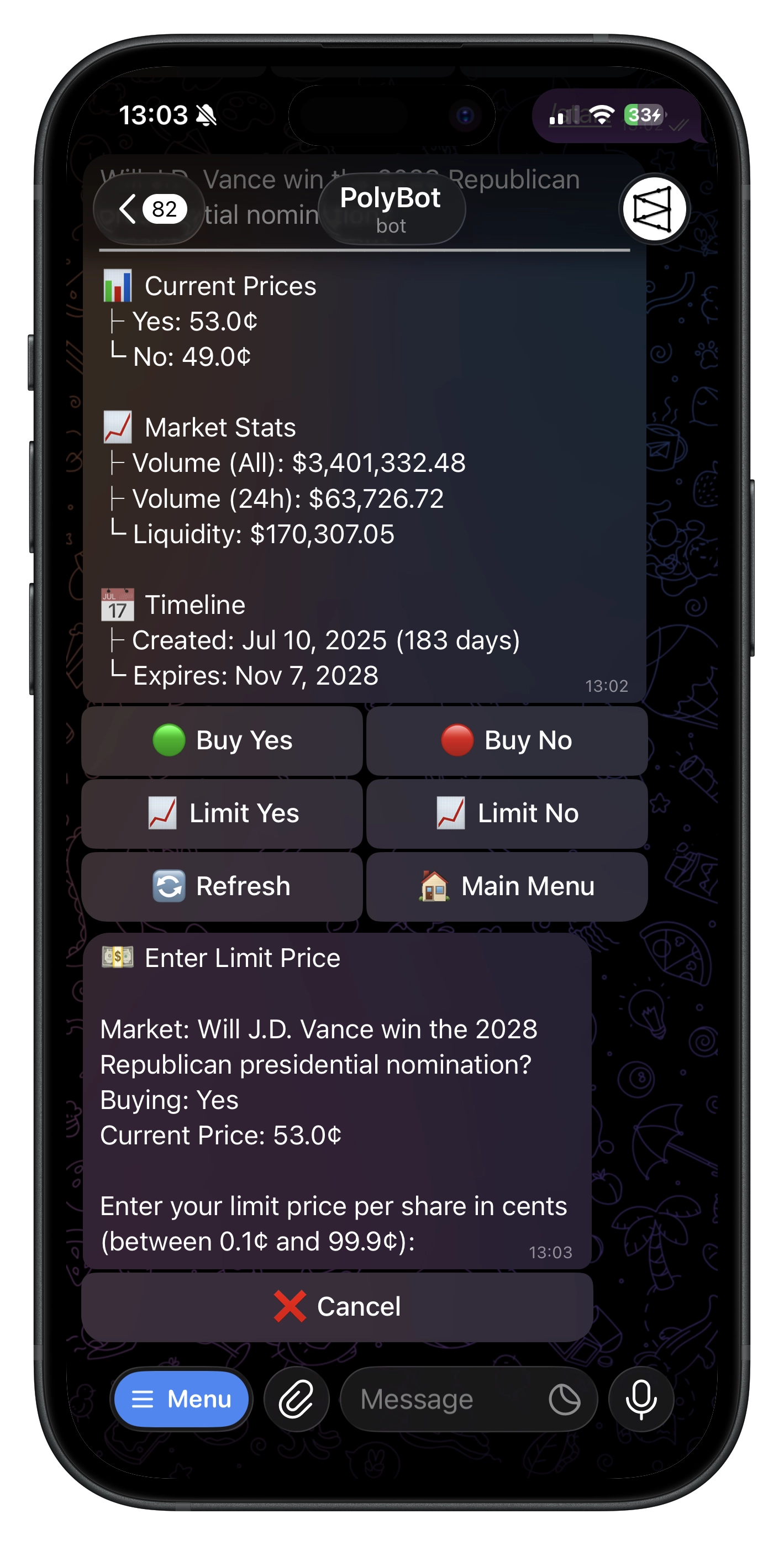
Cancel from the orders list if your limit price no longer makes sense. Partial fills stay; cancel applies to the remaining unfilled portion.
💡 Tips
- Sort by PnL % to find best/worst performers relative to investment
- Partial sells to scale out of winners instead of all-or-nothing
- 🛡️ Stop losses on positions you can't watch — small loss beats unchecked drawdown
- 📉 Limit sells at your target price — let the market come to you
- Redeem promptly (or enable Auto-Claim) to keep capital liquid
- 🔄 Refresh for latest prices
Troubleshooting
- Position missing — may have filled or resolved; tap 🔄 Refresh
- Can't sell — shares may be reserved by limit orders, stop-losses, or strategy exits
- Cancel not working — order may already be filled; refresh the list
- PnL looks off — prices fluctuate; refresh for latest
Commands
| Command | What It Does |
|---|---|
/portfolio | Open positions |
/orders | View limit orders |