What Is PolyBot
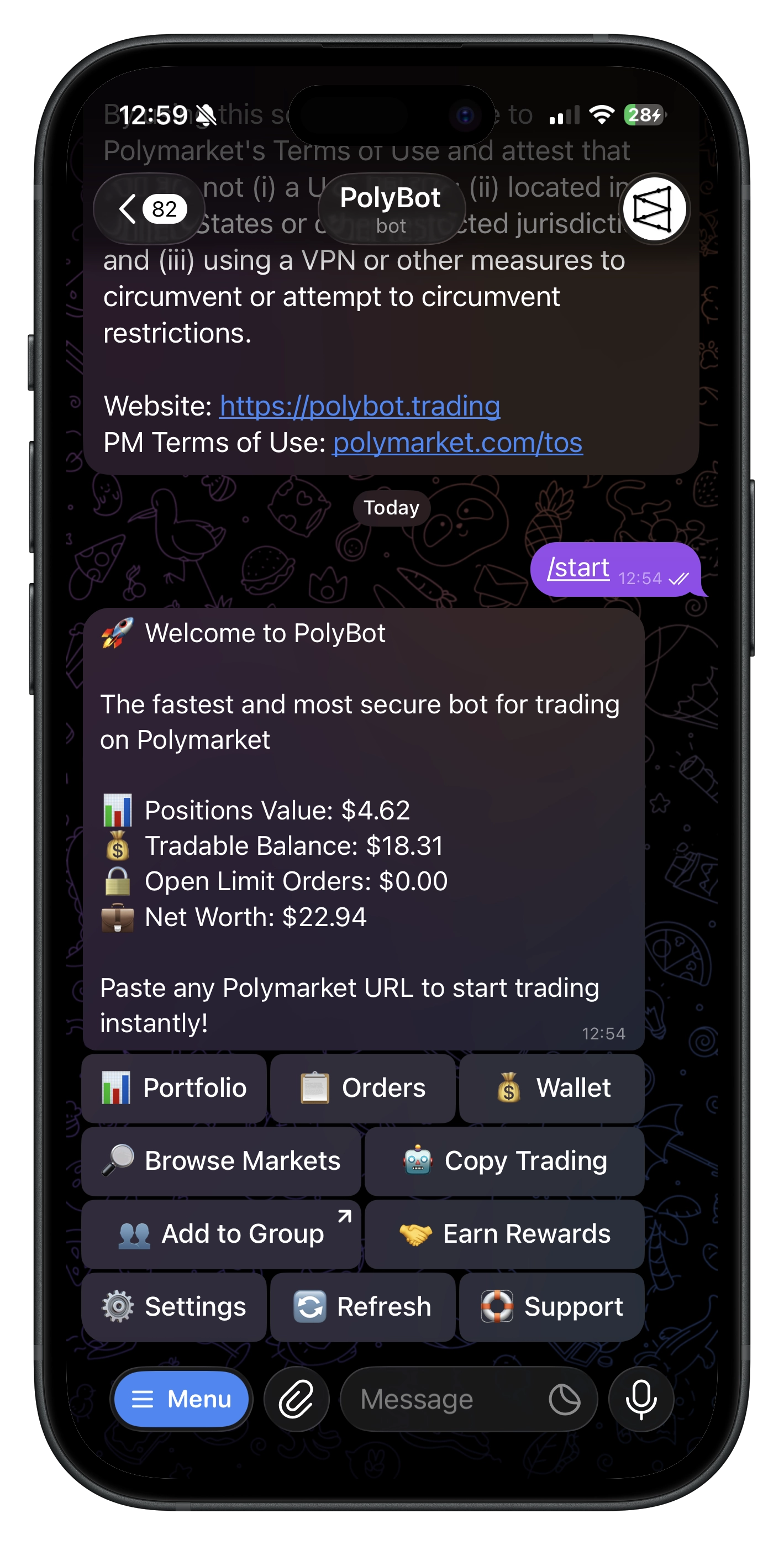
PolyBot is a self-custodial Telegram trading bot for Polymarket. Discover markets, trade, automate strategies, and manage your portfolio — without leaving Telegram.
💡 Why PolyBot
- ⚡ Fast — paste-to-trade, quick-buy amounts, streamlined confirmations
- 🔐 Self-custody — your own smart wallet (Safe) on Polygon; export keys anytime
- ⛽ No gas — sponsored by PolyBot's relayer, no MATIC needed
- 🤖 Automation — strategies, copy trading, presets, stop-loss, alerts, auto-claim
- 💬 Telegram-native — DMs, groups, market search, portfolio — all in one app
🚀 Quick Start
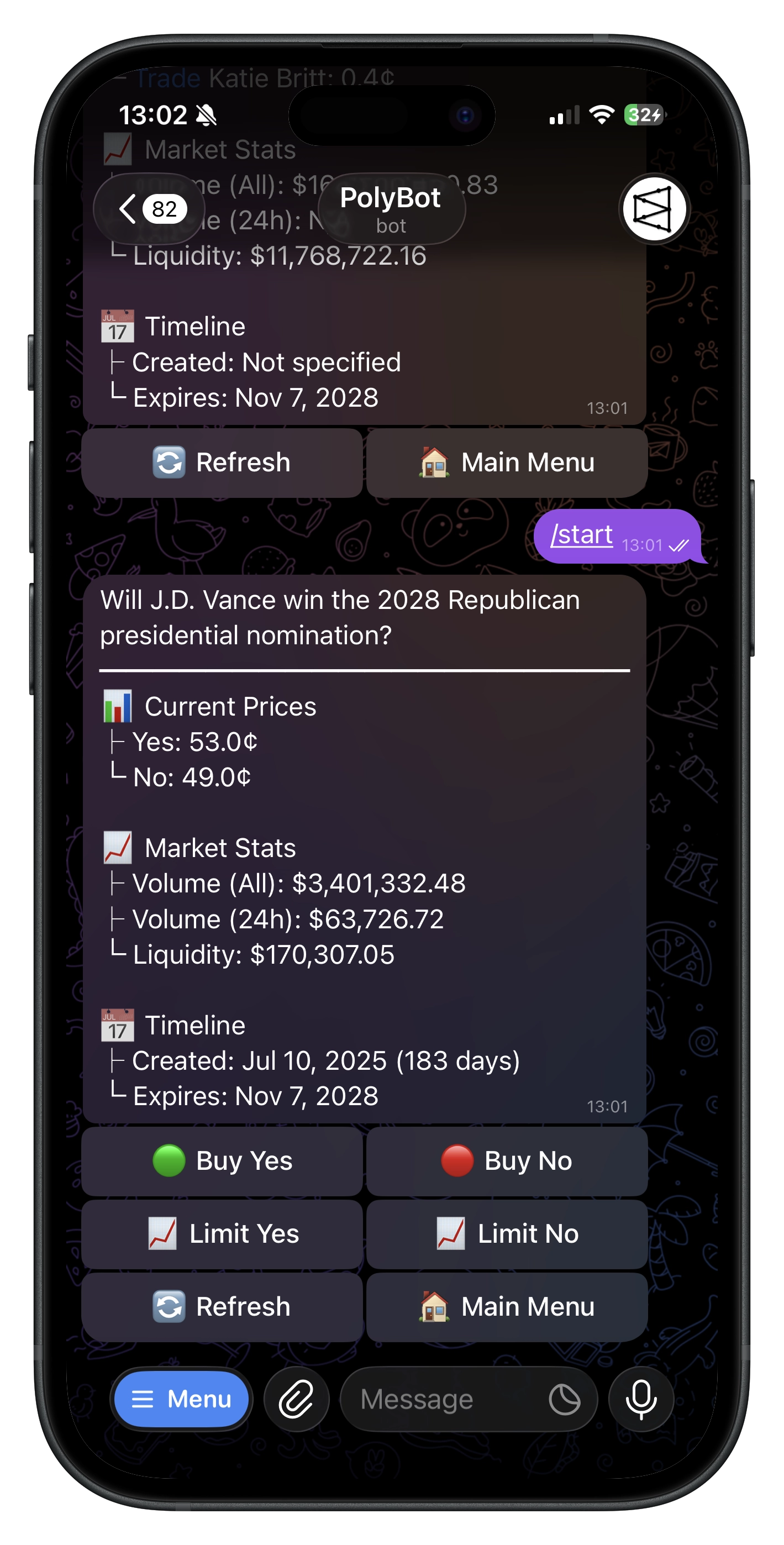
- Open the bot in Telegram → accept Terms & compliance
- Wallet created automatically (self-custodial Polygon Safe)
- Paste a Polymarket URL to trade, or explore the main menu
See the Quickstart Guide for a full walkthrough.
✨ What you can do
💰 Trade
- Paste-to-trade — drop any Polymarket link to open it instantly
- ✅ Buy YES / ❌ Buy NO — market orders with quick-buy presets
- 📈 Limit orders — set your price, GTC
- 📊 Portfolio — sell, 📉 limit sell, 🛡️ stop loss, redeem, PnL cards
🔎 Discover
- Browse 📊 Volume, 🔥 Trending, ✨ New, 🗂️ Category, 🎰 Up or Down, 🔴 Live
- Drill into sports & crypto subcategories
- Free-text search
🤖 Automate
- Trading Strategies — entry/exit rules for crypto up/down markets
- Copy Trading — mirror traders with your sizing and filters
- Presets — saved take-profit + stop-loss rules
- Stop Loss — standalone downside protection
- Market Alerts — price targets and large trade notifications
- Auto-Claim — auto-redeem winning positions
👥 Groups
Add PolyBot to Telegram groups for market search, trade cards, profile sharing, and referral attribution. See Group Guide.
💸 Funds
- 💵 Deposit from Polygon, Ethereum, Solana, BSC, Base, Bitcoin, HyperEVM → auto-converts to USDC.e
- 💸 Withdraw USDC.e to any Polygon wallet, gas-free
🤝 Referrals
Earn a share of PolyBot's trading fees across three tiers:
- L1 (direct): 25% | L2: 5% | L3: 3%
Group referrals work too. See Referrals Guide.
🌐 Network & Assets
- Network: Polygon (PoS)
- Trading balance: USDC.e
- Gas: sponsored — no MATIC required
Your funds live in your own Safe. Export your signer key anytime from ⚙️ Settings. Key messages auto-delete after 60s.
💵 Fees
1% fee on trading volume — only on trades through PolyBot.
Commands
Direct Messages
| Command | What it does |
|---|---|
/start | Begin or open deep links |
/home | 🏠 Main Menu |
/help | ❓ Help & FAQs |
/wallet | 💰 Wallet |
/portfolio | 📊 Portfolio |
/orders | 📈 Limit orders |
/stoploss | 🛡️ Stop losses |
/search | 🔎 Market search |
/settings | ⚙️ Settings |
/refer | 🤝 Referral hub |
/copy | 🤖 Copy trading |
/recent | 📜 Recent activity |
/preset | 🎯 Exit presets |
/strategy | 📈 Trading strategies |
Paste any Polymarket URL to open its market instantly.
Group Chats
| Command | What it does |
|---|---|
/polybot [query] | 🔎 Search markets |
Not available to U.S. persons or those located in the U.S. Trading involves risk. Only trade what you can afford to lose.