Market Search Guide
Market Search lets you discover what's tradeable without leaving Telegram. Browse curated feeds, drill into categories, or search by keyword — and jump straight into a trade from any result.
Open from the main menu → 🔎 Search Markets, or run /search.
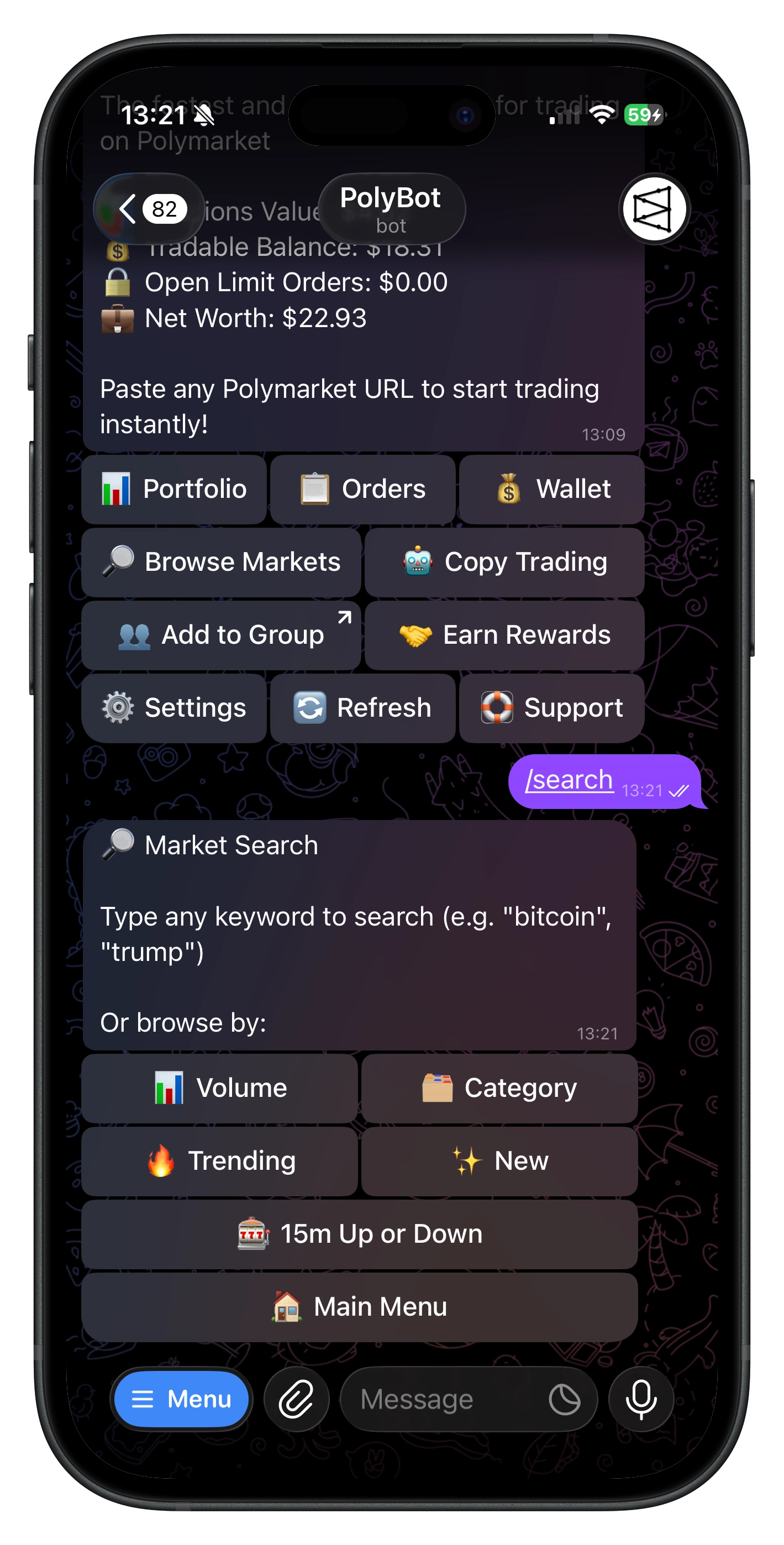
📊 Browse modes
📊 Volume
Most active markets by 24h trading volume. High volume = high liquidity, tighter spreads, and broad market attention. Start here when you want something liquid and actively watched.
🔥 Trending
Markets with rising activity — not the highest volume, but gaining momentum. Useful for catching markets heating up before peak volume, often around breaking news or upcoming events.
✨ New
Recently created markets. Can offer early-mover opportunities before the crowd fully prices them in, but tend to have thinner liquidity.
🗂️ Category
Browse by topic: Politics, Sports, Crypto, Culture, Tech, Finance, Economics. Sports and Crypto have drillable subcategories (e.g., basketball, soccer, bitcoin, ethereum). Sorted by liquidity within each vertical.
🎰 Up or Down
Short-duration crypto prediction markets ("will BTC be up or down in 5 minutes?"). Pick ⚡ 5 Minutes or ⏱️ 15 Minutes and browse active markets. Pairs well with Trading Strategies.
🔴 Live
Markets currently in play — resolution window open, trading active. For when you want to act on something happening right now.
🔍 Free-text search
Just type what you're looking for:
bitcoin etfelection pollsnba playoffs
Fastest path when you already know what you want to trade.
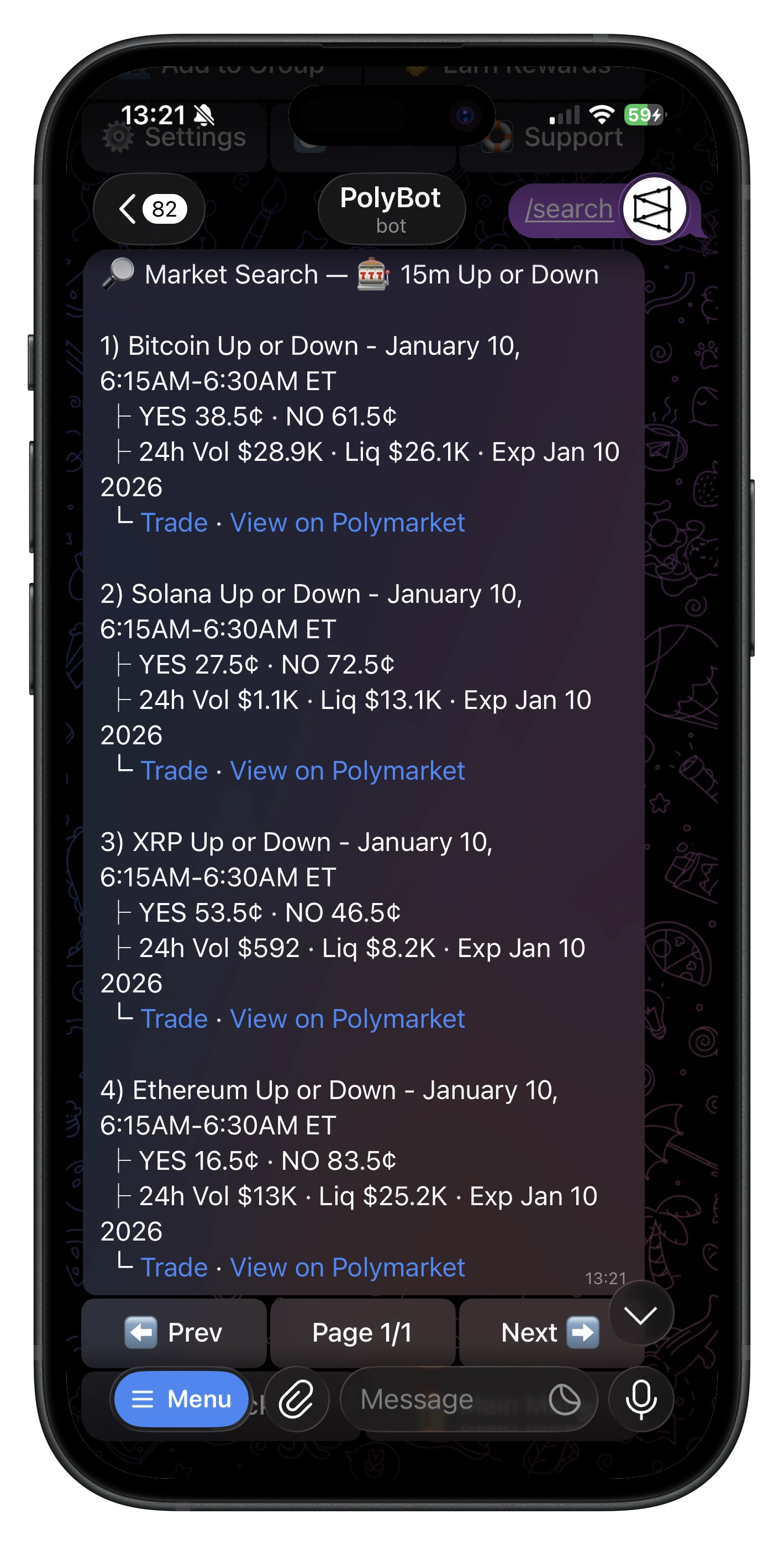
📋 What each result shows
- Title — what the market is about
- 24h volume — trading activity
- Liquidity — order book depth
- YES / NO prices — current market-implied probabilities
- Expiry — when the market resolves
- 🚀 Trade — opens the market inside PolyBot
- 🔗 View on Polymarket — opens the web page
👥 Search in groups
Members can search directly in group chat with /polybot [query]:
/polybot trump
Returns a short market list with deep-links back to DM trading. See Group Guide.
💡 Tips
- 📊 Volume / 🔥 Trending — when you don't have a specific market in mind
- 🗂️ Category — focus on verticals you know well
- 🎰 Up or Down — short-duration crypto for strategies or quick bets
- 🔴 Live — during active events (election nights, big crypto moves, games in progress)
- 🔍 Free-text — for news-driven opportunities
Troubleshooting
- No results — try broader terms, different spelling, or browse by 🗂️ Category
- Stale data — refreshes periodically; try another mode or check later
- Trade link didn't work — run
/startfirst, then retry
Commands
| Command | What It Does |
|---|---|
/search | Open market search |
/polybot [query] | Search from a Telegram group |