Trading Guide
This guide explains how to trade on Polymarket using PolyBot in Telegram: paste‑to‑trade, market buys, selling, limit orders, and order management.
Before You Start
- Network: Polygon (PoS). Trading balance is USDC.e.
- Gas: Sponsored by PolyBot's relayer — you do not need MATIC.
- Deposit: Use
/walletto deposit from Polygon (recommended), Ethereum, Solana, BSC, Base, Bitcoin, or HyperEVM. All assets convert to USDC.e automatically. See Wallet Guide for details.
Paste‑to‑Trade
- Paste a Polymarket URL (e.g.,
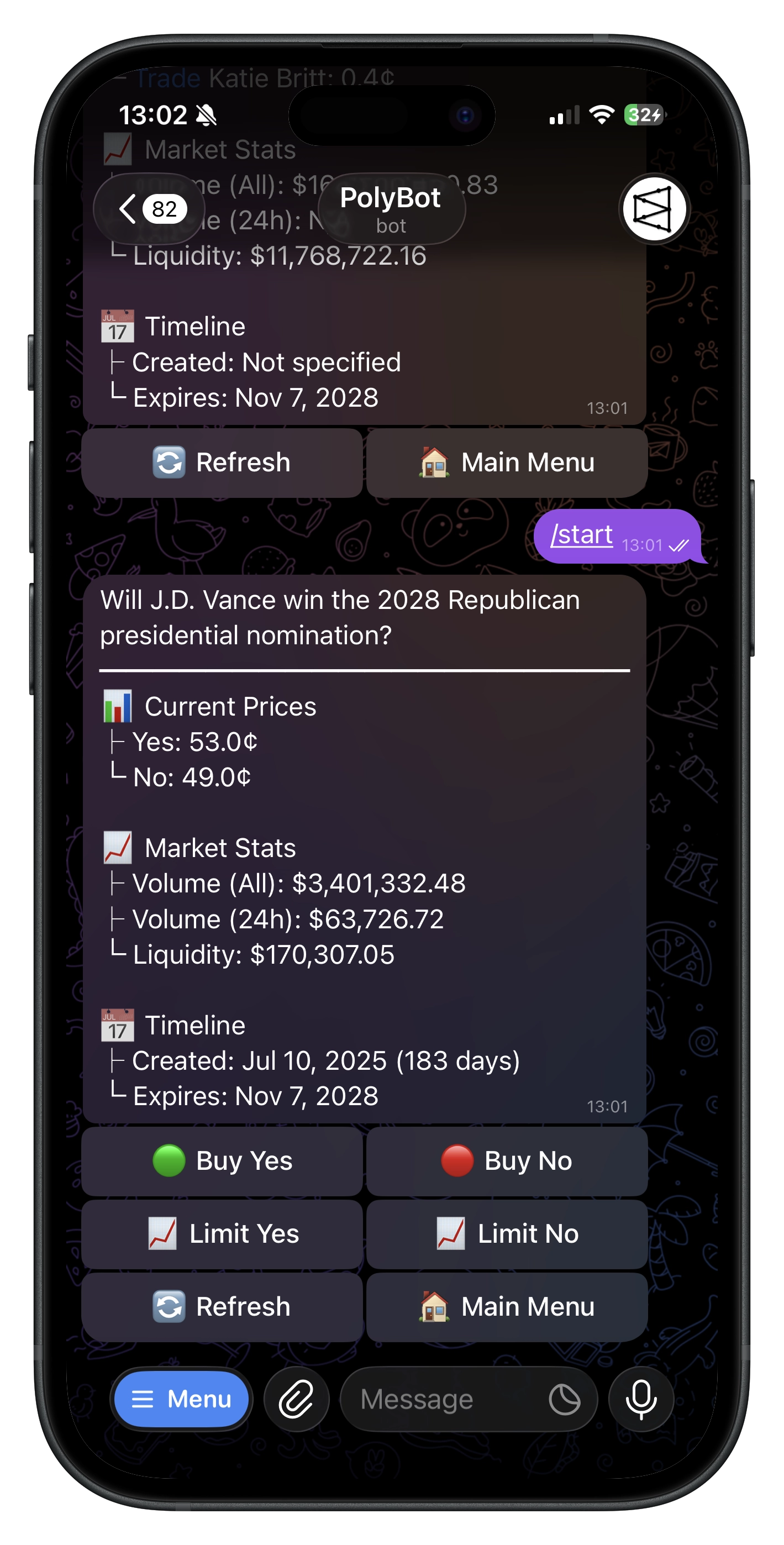
https://polymarket.com/event/...) directly in chat. - PolyBot opens the market view with live prices and stats.
- Use the inline buttons (binary markets):
✅ Buy YES,❌ Buy NO📈 Limit YES,📈 Limit NO🔄 Refresh,🏠 Back to Home
- For categorical markets, PolyBot lists outcomes with trade deep‑links back into the bot and a view link to Polymarket, plus
🔄 Refresh/🏠 Back to Home.
Prices shown prefer last trade when available, else mid bid/ask if spread is reasonable, else cached price. Use 🔄 Refresh to update.
Market Orders (Buy)
- On a binary market, tap
✅ Buy YESor❌ Buy NO. - Choose a quick‑buy amount (defaults $10 / $25 / $50) or enter a custom amount.
- Review the confirmation:
- Market and outcome
- Amount (net after fee)
- Estimated shares (VWAP‑based when order book is available)
- Price per share (¢)
- Tap
✅ Confirm Orderto execute.
PolyBot submits a market order via the Polymarket CLOB. On success, you'll see shares and average price; your portfolio updates shortly.
Tips
- Minimum size for market buys is about $1.
- If you’re asked to retry, approvals or Safe deployment may be finishing — try again in a few seconds.
Selling at Market
- Open
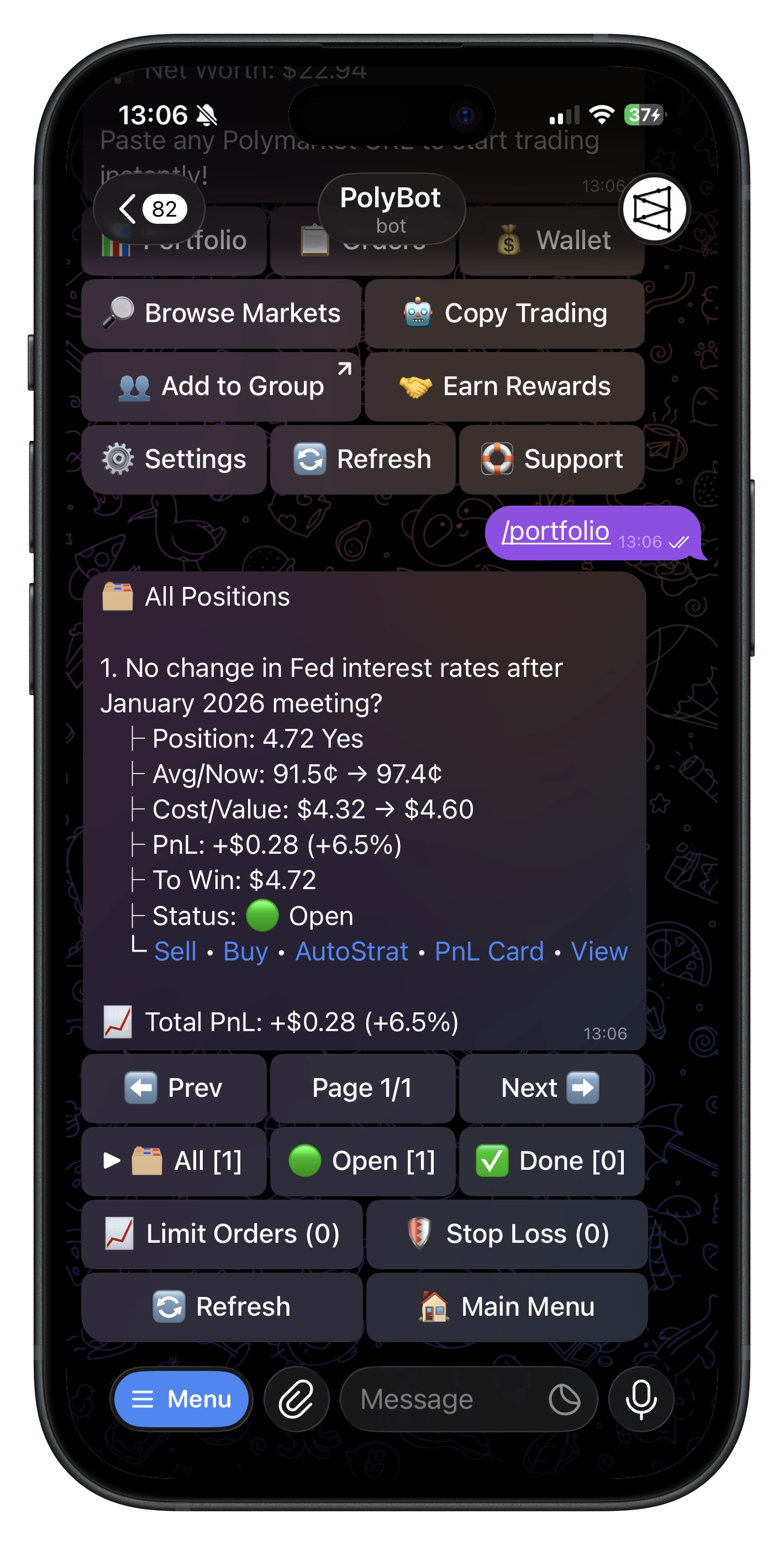
/portfolio(or tap 📊 Portfolio on the Main Menu). - Select a position → choose Sell.
- Pick 25/50/75/100% or enter a custom number of shares.
- Confirm the sell. Success shows shares sold, price, and proceeds.
Limit Orders
Limit Buy (from market)
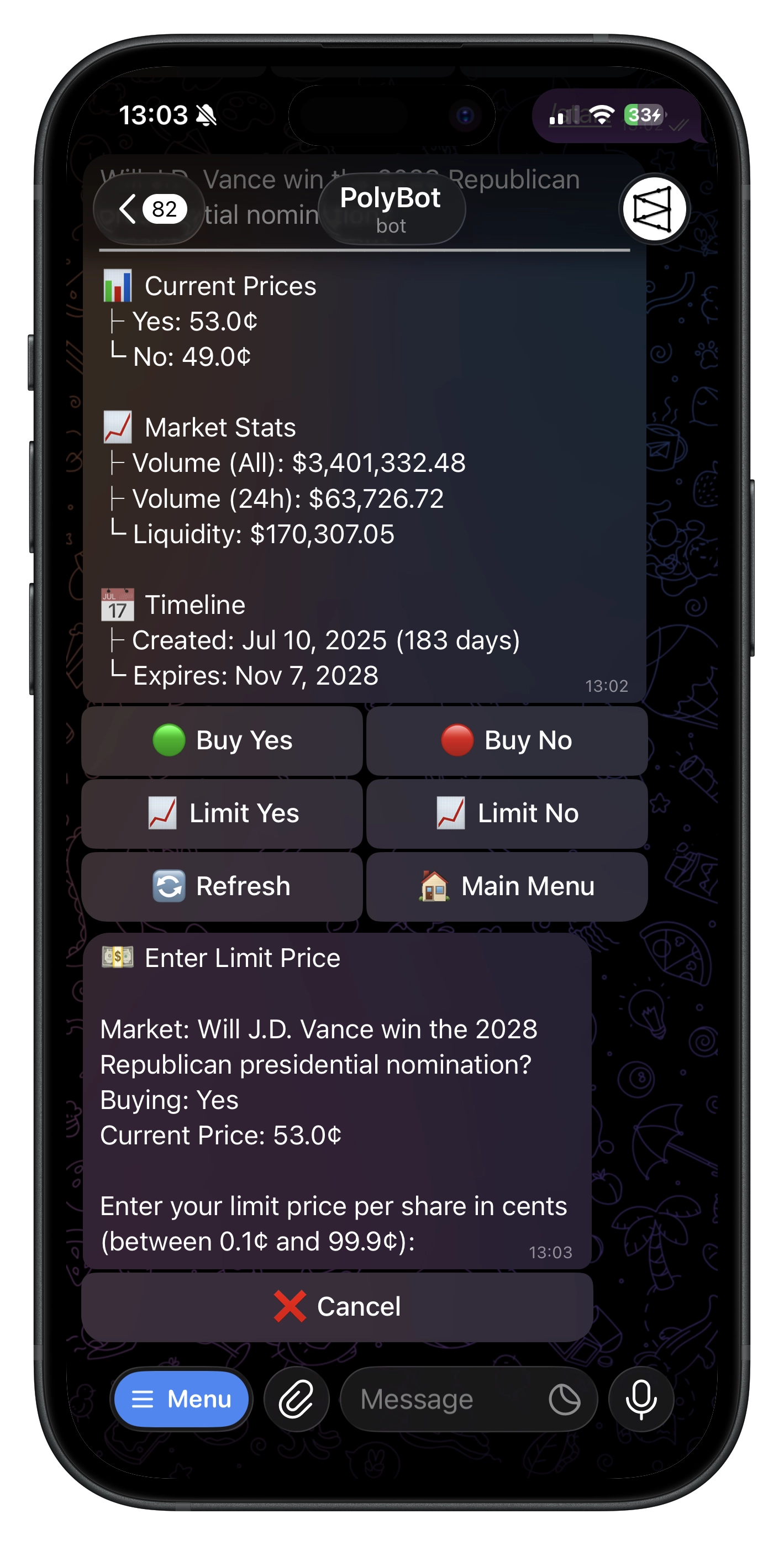
- On a binary market, tap
📈 Limit YESor📈 Limit NO. - Enter a limit price in cents (e.g.,
75→ $0.75). - Enter number of shares.
- Minimum: 5 shares (after fee reservation).
- Confirm details:
- Outcome, limit price vs current price
- Shares and total cost
- Warning if your price would execute immediately at market
- Confirm to place the GTC order.
Limit Sell (from portfolio)
- In
/portfolio, chooseLimit Sellon a position. - Enter the limit price (¢) → enter shares (≥ 5).
- Confirmation shows:
- Shares, limit price, total value
- Fee (bps) and net proceeds
- Confirm to place the GTC order.
Managing Orders
- From Main Menu, open
📈 Limit Orders. - See each order’s market, outcome, side, limit price (¢), current price (¢), size, value, and fill status.
- Cancel: Use the
Canceldeep‑link; PolyBot submits the cancel to the CLOB. - Use
🔄 Refreshto update the list.
Prices, Estimates & Slippage
- Market views pick the best available indicator (last trade > sane mid) and clamp values to sensible ranges.
- Confirmations show net spend and estimated shares to set expectations before execution.
Quick‑Buy Amounts
- Defaults are $10 / $25 / $50.
- Customize in
⚙️ Settings(edit Left/Center/Right).
Negative‑Risk Markets
- PolyBot supports standard and negative‑risk markets seamlessly.
- Wallets created now are pre‑approved for the required contracts; older wallets may auto‑approve on demand (you might see a brief retry prompt once).
Troubleshooting
- "Please try again in a few seconds": Approvals or Safe deployment are finishing; retry shortly.
- Deposit not visible: Allow 1–3 minutes for confirmations (cross-chain deposits may take longer), then refresh.
- Canceled but still visible: Use
🔄 Refreshon the Limit Orders screen.
Useful Commands
/start— Begin or open deep links/home— Main Menu/wallet— Wallet (deposit, withdraw)/portfolio— Open positions/help— Help & FAQs